MCP tool creation
If a tool is missing, AgentOS builds it, probes it live, registers it, then uses it.
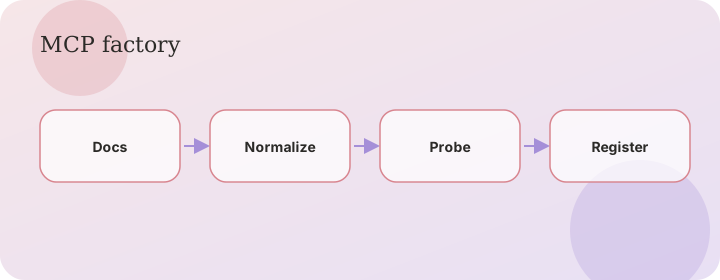
Flow
Why this exists
Most agents are limited to a hardcoded catalog. AgentOS treats any HTTP API as a candidate. The factory is the product — Stripe or GitHub in screenshots are examples, not the ceiling.
Three ways to build
Use Integrations → Create MCP, or ask in workspace chat. The automation agent builds the tools, then the next task in the same run (or the next message) can call them.
- OpenAPI URL: “Create MCP tools from https://…/openapi.json then list …”. Factory fetches, normalizes, probes, registers HTTP tools.
- Any HTTP API (no OpenAPI): “Build MCP tools for [app] so I can [list / get / create …]”. The factory sketches a small OpenAPI from your words (or uses Gemini) against the public HTTPS host.
- Website (no API): Vault → save e.g. bharatenglish (username/email + password). Chat: “Create MCP tools for https://…”. Then: “Log in with vault credential bharatenglish and open home / use runOnSite …”. That is Playwright on a locked origin, not a hidden REST API.
Pipeline
Normalize → generate tool schemas → live probe against the public host → persist the MCP and cached tools → the orchestrator can call them on the next task in the same run.
Safety
Private and link-local hosts are blocked (SSRF). Generated code is AST-checked. Circuit breakers open if a tool starts failing. You can disable or delete an integration at any time.