User guide
Open a workspace, send a goal, watch the agent plan and execute with live data.
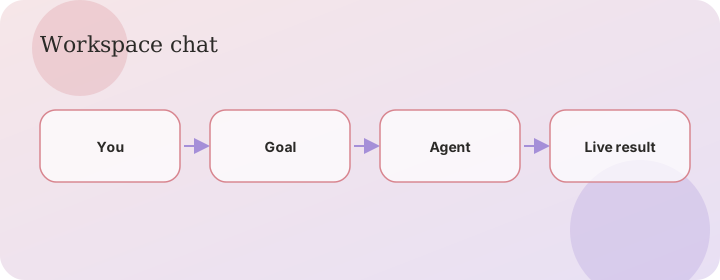
Flow
What you can ask
AgentOS is a workspace, not a chatbot with canned replies. Every run hits live systems: HTTP APIs, site health, email, a real browser, code debug, project generation, and ATS resumes.
- Check whether a public site is up, how fast it is, and which security headers it is missing.
- Build tools for any HTTP API from OpenAPI, a docs URL, or a description — then call those tools in the same run.
- Store logins in the vault and let the browser agent complete a login flow on that domain.
- Generate a compact, standard, or full website/app from a brief.
- Create or score an ATS resume against a job description.
Chat workspace
Open New chat, type a goal, press Enter. You stay on a conversation thread: your message, live agent events, and task output. Show graph reveals the DAG. Show timeline lists autonomous actions. Stop cancels an in-flight run. Failed runs can be retried.
- OpenAPI chip / paste a spec URL to build HTTP tools, then ask to list or get.
- HTTP API without a spec: Build MCP tools for GitHub / Open-Meteo / PokeAPI so I can list …
- Website without an API: save a vault login, create MCP tools for the URL, then log in with that credential and use runOnSite.
- The context meter in the top bar is computed from your catalog, last run, and memory — not a fake percentage.
Vault
Credentials are encrypted with AES-256-GCM. The API never returns values after you save them. Agents refer to placeholders such as {{secret:password}}.
- Name smtp with host, port, username, password to send mail.
- Name gemini with api_key to use your own Gemini quota.
- Name a site login for the browser agent.
Roles and guest access
Get started for free creates a guest session so you can try the workspace immediately. Guests can build MCPs, run health checks, and chat. Sign in to keep a named account.